Changelog
Stay up to date with the latest features, improvements, and fixes in ScreenTimerAI.
[1.5.2] - March 22, 2026 ()
Added
- Time Agent (Chat Window): A dedicated AI chat assistant is now available as a standalone pop-out window, accessible from the floating menu and tray. Ask questions about your activity, get focus analysis, and create Focus Rules — all without leaving your current workflow.
- Focus Rules: Smart Rules have been completely redesigned and renamed to Focus Rules. Build and manage rules through a conversational chat interface with a dedicated inline editor for quick edits and scheduling.
- Desktop Overlay Widget: A minimal standalone timeline bar that can stay on your screen, giving you an at-a-glance view of your day without opening the app.
- Focus Score Chart: A new Focus Score chart on the Metrics page visualises your focus quality over time with stat boxes and detailed tooltips.
- Usage Pattern — Month View: The heatmap now supports a full month view with date navigation and peak hours, in addition to the existing week view.
- Focus Segmentation Analysis: Ask the Time Agent to break down your sessions into focus segments and get a rich result card with a hover timeline.
- Chat Suggestions: The chat empty state now shows contextual, collapsible suggestion chips driven by your categories to help you get started.
- Floating Menu: A customizable floating launcher for quick actions like opening the Time Agent chat. It can also show the same live timeline bar inline, with a configurable size (S/M/L), so you can keep everything in one surface.
- Token Usage Counter: Chat responses now show token usage so you can keep an eye on API consumption.
Improved
- AI Provider Settings: Reorganised into three tabs — API Keys, Categorization, and Chat — for a cleaner setup experience.
- Chat UX: Message text is now selectable, copy buttons are hover-only, and the overall font size is more consistent throughout the chat.
- Category Refinement via Chat: Edits to categories from the chat now use a preview-and-diff workflow so you can review changes before applying them.
- Focus Analysis Card: Redesigned with a vertical layout, hover timeline, and a daily chart for better at-a-glance insights.
- Settings Sidebar: Split into logical top and bottom sections; theme settings moved into General.
- Monthly Heatmap View: Future weeks are now hidden, the active week gets a badge, and summaries are shown inline.
- Model Picker: Extracted into a unified
ModelPickerDropdowncomponent shared across settings and the pop-out chat. Gemini models are now fetched dynamically. - Drag-to-scroll: Suggestion chips in the dashboard now support drag-to-scroll for easier browsing.
- App Icons: Icons are cached to speed up activity log rendering.
Fixed
- Suspend Race Condition: Database writes now complete before macOS suspends, preventing potential data loss on sleep.
- Category/Group Color Changes: Color updates now immediately reflect in the timeline bar without requiring a refresh.
- Chat Streaming: Fixed a "Maximum update depth exceeded" error that could occur during message streaming.
- Floating Menu Overlay: Fixed lifecycle and positioning issues with the overlay.
- macOS Accessibility Dialog: Now correctly uses the Tauri app name in the accessibility permission prompt.
- Top Disruptors: Fixed a loading scrollbar flicker when switching time ranges.
- Overlay Hydration: Fixed a hydration mismatch error in the overlay window.
[1.5.1] - January 22, 2026 ()
Added
- Custom OpenAI Provider: Add a custom OpenAI provider option with a Base URL input to route requests to OpenAI-compatible endpoints. Use case: connect to Azure OpenAI services, OpenAI-compatible API endpoints, or self-hosted/proxy servers.
- OpenAI Model Picker: Fetch available OpenAI models during onboarding and let users select the model dynamically.
- Activity Log Pagination: Added pagination to the activity log for easier browsing.
Fixed
- Re-categorization: Use the configured provider base URL instead of the default.
[1.4.3] - December 11, 2025 ()
Added
- Local AI Categorization: Integrated Ollama as a categorization provider with dedicated settings and model selection UI. More in our documentation.
- Settings Tabs: Added dedicated tabs for Chart, Tray Icon, and Tracking.
- Distraction Alert: Add option to disable alert outside of working hours.
- Manual Categorization: Added manual categorization to activity logs, simply left-click -> Re-categorize.
- Activity Log: Added multi-selection to activity logs, enabling bulk deletion and re-categorization.
- Onboarding: Added a skip button to the provider selection step in onboarding.
- Debugging: Organized debugging tools into tabs.
Improved
- Activity Filter: Moved to Settings > Tracking and renamed to Privacy Filter, added filter word suggestions.
- Tray Icon Settings: Added a preview of the tray icon.
- UX Persistence: The settings page now remembers where you left off.
Fixed
- Performance: Fixed an issue where updating an activity would reload the whole activity list.
[1.3.2] - December 3, 2025 ()
Added
- Incognito Mode Detection: Automatically detect Incognito/Private windows (currently for Chrome-based browsers and Safari). These activities are filtered out for maximum privacy.
- Activity Filter: New filter list to exclude activities containing specific keywords from your activity log, accessible from Settings > Activity Filter.
- Working Hours Support: Define specific working hours to automatically start and stop tracking, accessible from Settings > Working Hours.
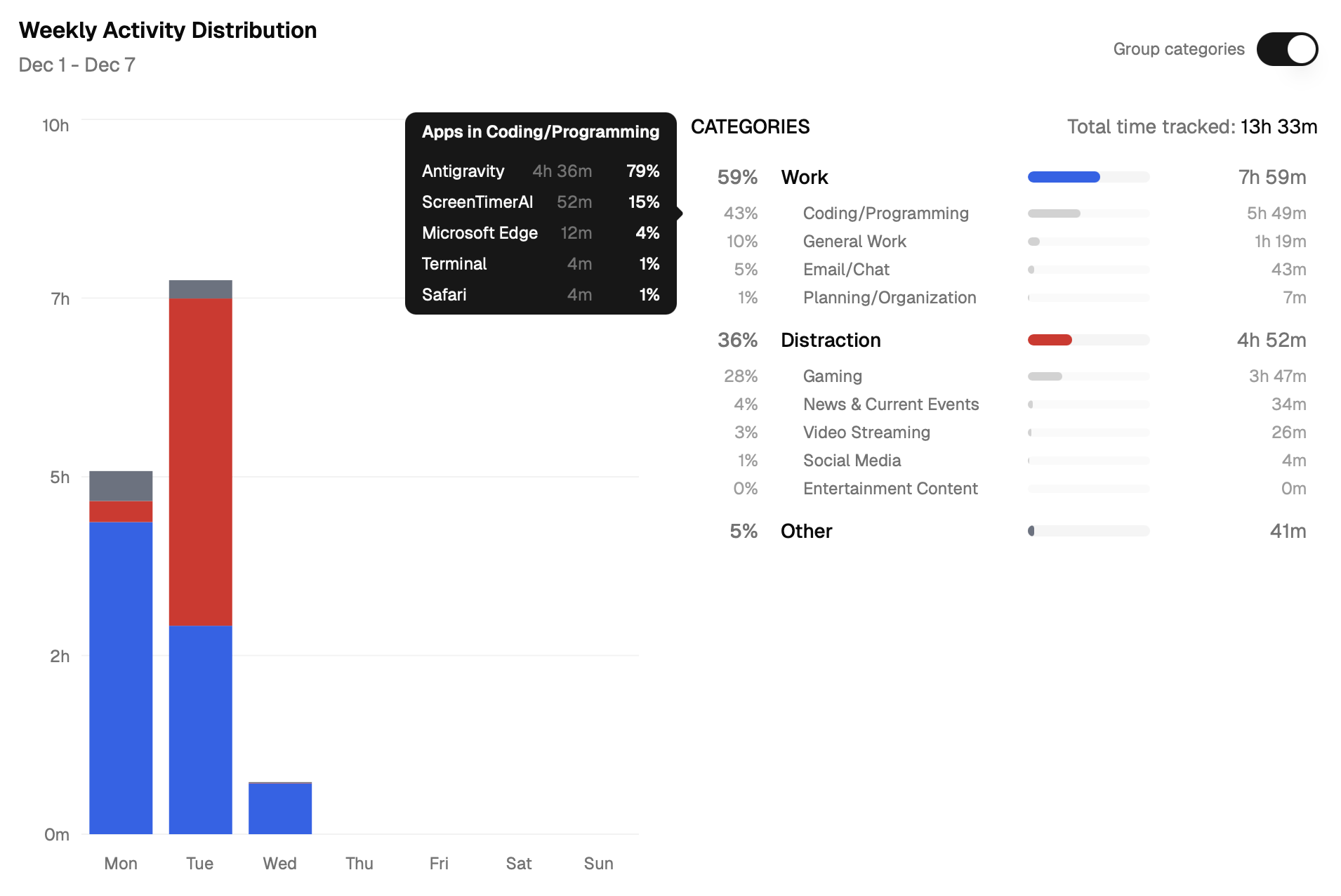
- Week View Modes: You can now toggle between "Category" and "Group" views in the Weekly activity charts, giving you more flexible insights.
- Week Views Statistics: Added interactive statistics to the Weekly activity charts, giving you more insights into your productivity.
Improved
- Smoother Onboarding: Updated flow to help set up working hours from the start.
[1.2.0] - November 26, 2025 ()
Added
- Advanced Category Management: We've introduced a more sophisticated way to manage your categories. You can now effortlessly remove empty categories. For categories with existing activities, we offer flexible options: seamlessly migrate your data to another category or delete the category while preserving your activity history.
Fixed
- Blank Screen on Autostart: Fixed an issue where the app would show a blank screen when starting automatically.
[1.0.0] - November 24, 2025 ()
Added
- Tracking Control: Added the ability to "stop tracking until midnight" via the Tracker Button, giving you more flexible control over when the app records your activity.
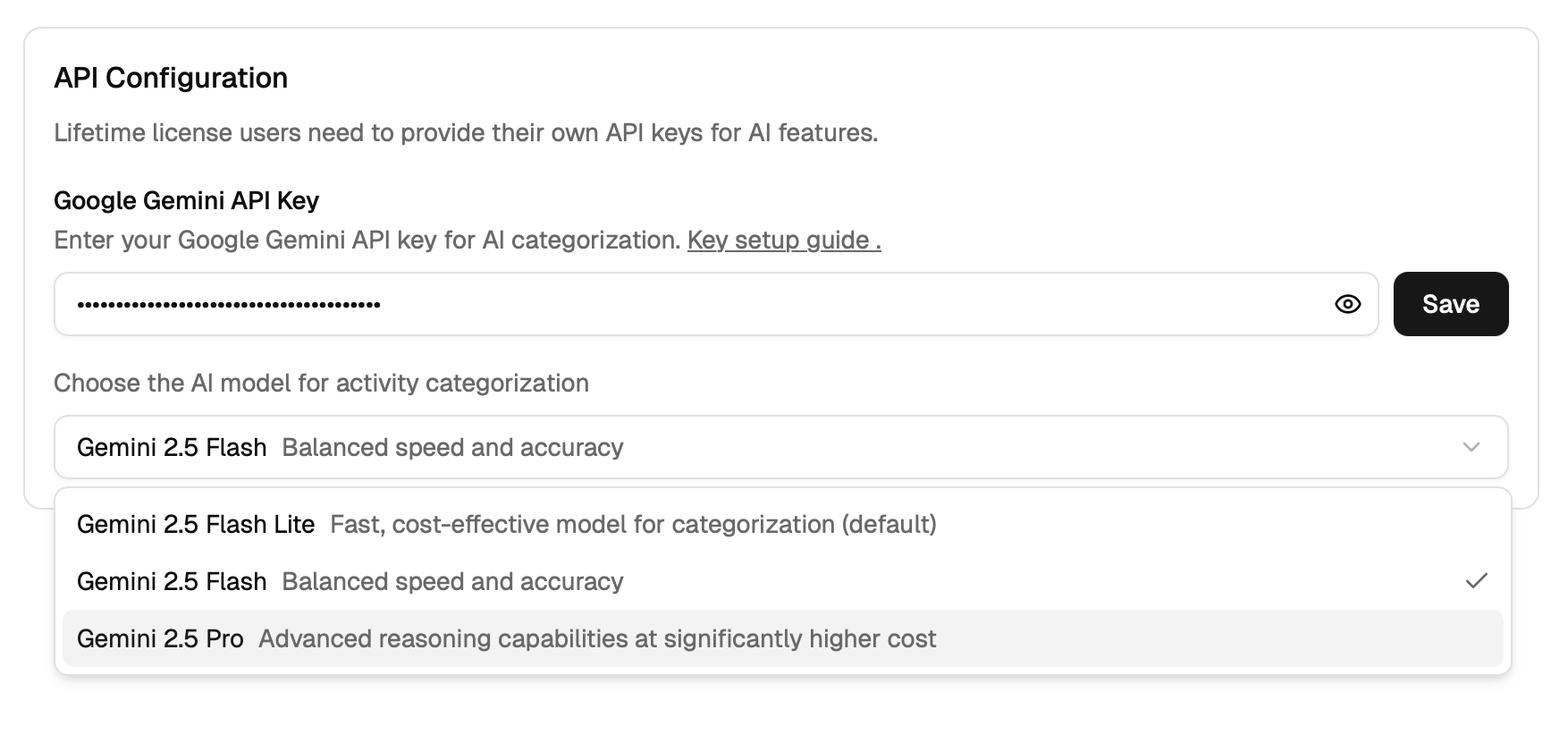
- Customizable AI Categorization: Added the ability to select specific AI models for categorization in the API Key settings, giving you more control over how your activities are automatically sorted.
Improved
- Smarter Distraction Alerts: Improved "Break Reminder" and distraction detection logic, including a new cooldown mechanism and fixes to prevent alerts from appearing after you've already left a distracting app, making the experience less intrusive.
- Better Category Management: Major improvements to the Categories page, including drag-and-drop functionality, inline editing for category/group names, and a new color picker for better visual organization.
- Improved Tray Icon: The system tray icon has been enhanced with better loading states, transparent padding, rounded corners, and "view mode" support, providing a cleaner and more informative status at a glance.
- Smoother Onboarding & Setup: Integrated autostart functionality so the app can launch at login, along with improvements to the onboarding flow (tooltips) and a refactored, tabbed Settings page for easier configuration.
- More Reliable Updates: Implemented a robust update system with periodic checks, retry logic, and an update overlay to ensure you're always running the latest version smoothly.
- Visual Polish & UI Consistency: Numerous UI fixes and refinements, including adjusted spacing in the Category Tree, fixed heights for charts, and better layout handling for the pie chart and top disruptors list.
- Performance & Stability: Fixed issues where updating a category would reload the whole app, improved single-instance management (preventing multiple copies of the app from running), and adjusted heartbeat thresholds for better stability.
- Cleaner Data Visualization: The "Usage Pattern" and "Top Disruptions" views have been refined to only show relevant data (e.g., hiding empty categories), making your productivity insights clearer and more actionable.
[0.6.0] - August 16, 2025 ()
Added
Tray Icon:
- Paused state is now displayed in the tray icon
- Changing the view from "Grouped" to "Categories" also update the tray icon Tracking Options:
- You can now pause tracking until the end of the day
[0.5.9] - August 15, 2025 ()
Added
Settings: You can now select the Gemini AI model for categorization
Tray Icon: Improved tray icon look and feel
Tray Icon Before

Tray Icon After

[0.5.6] - August 8, 2025 ()
Added
- Start at Login: You can now configure the app to start automatically when you sign in to your computer.
[0.5.5] - August 7, 2025 ()
Improved
- Alert Behaviour: Reset alert cooldown when user dismisses alert so you don't get too many alerts in a row
[0.5.4] - August 6, 2025 ()
Added
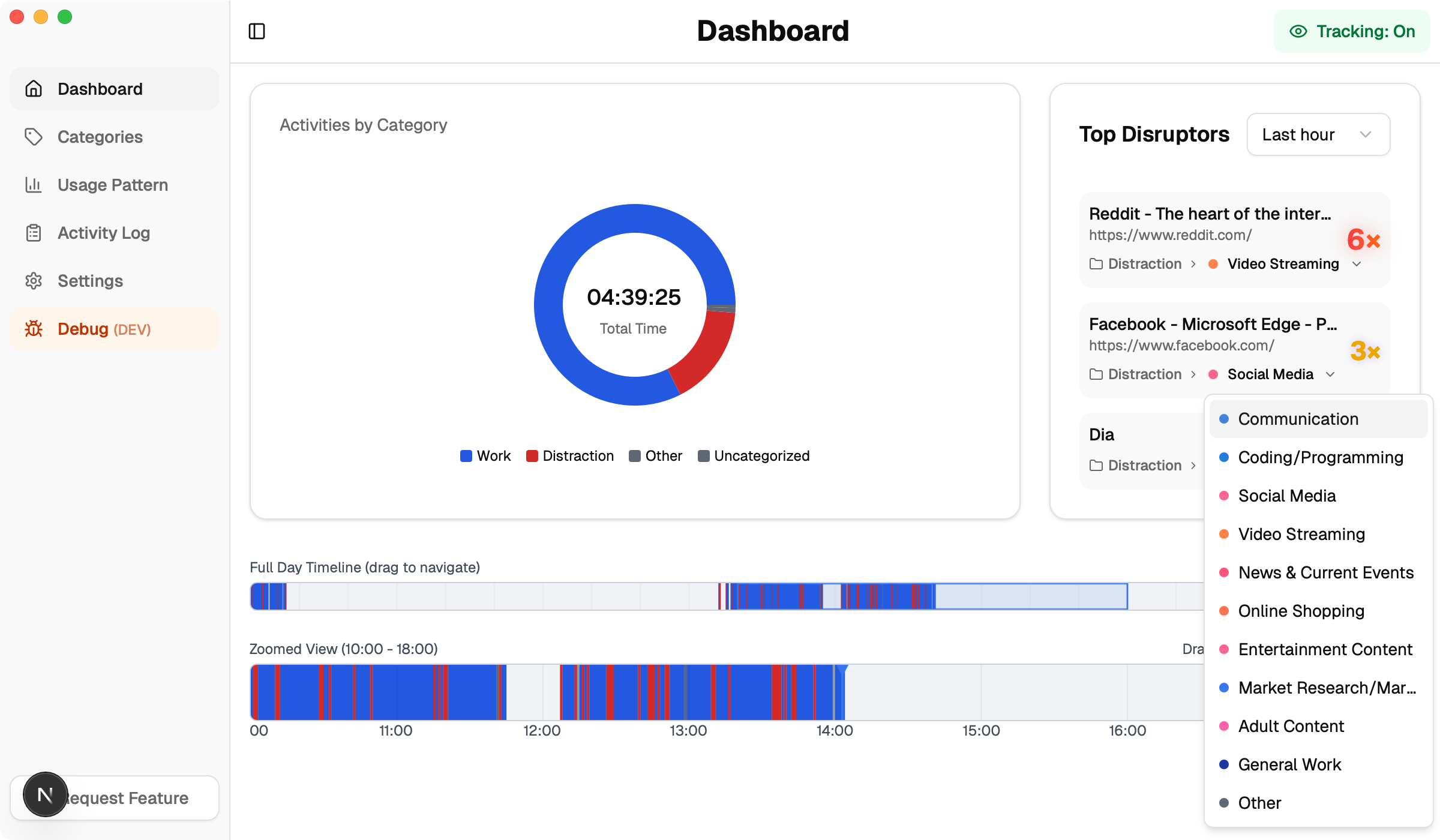
- Top Disruptors: You can now edit the category of the top disruptors to correct wrong categorization
- Updater: You don't have to restart the app in order to receive updates
Improved
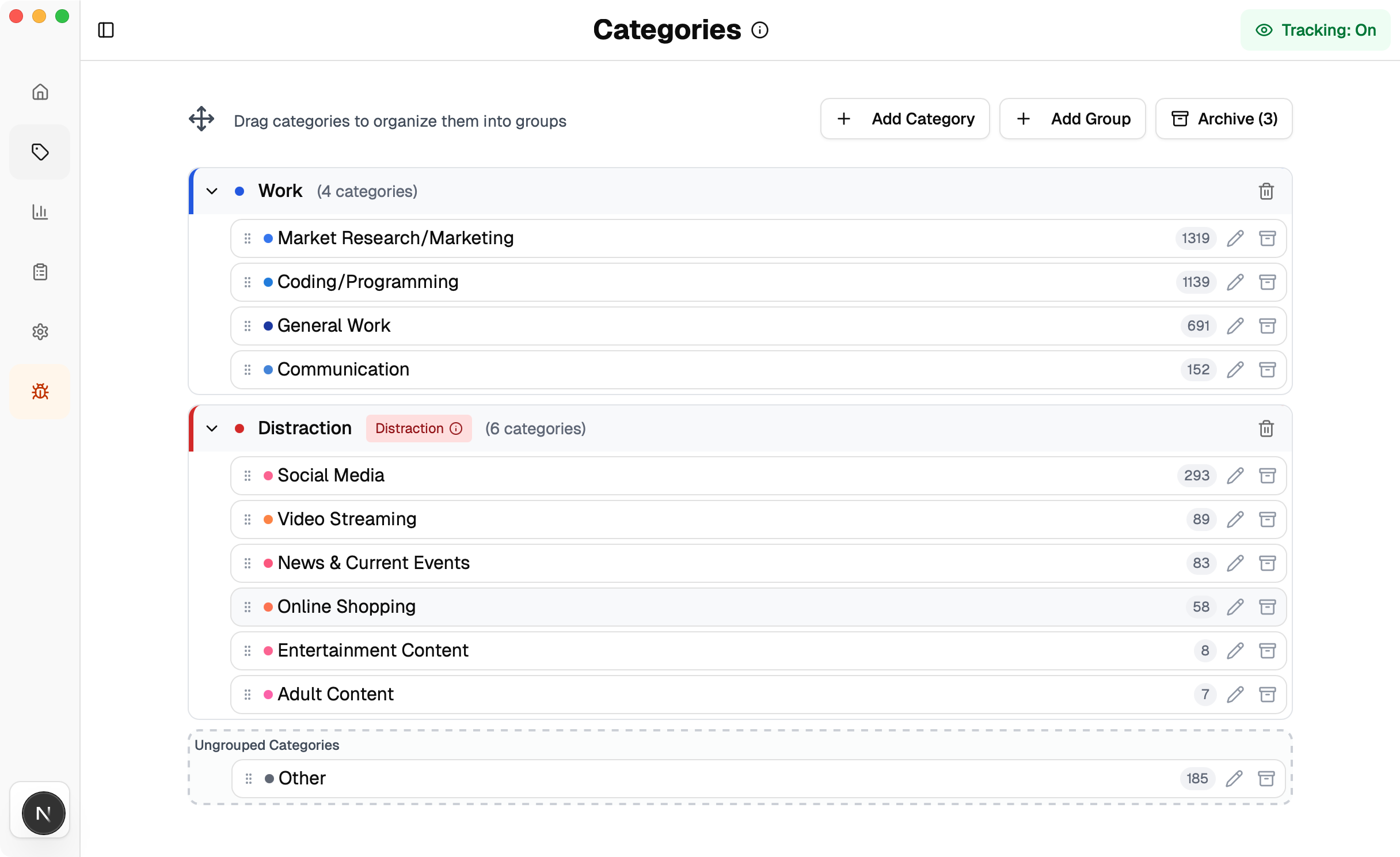
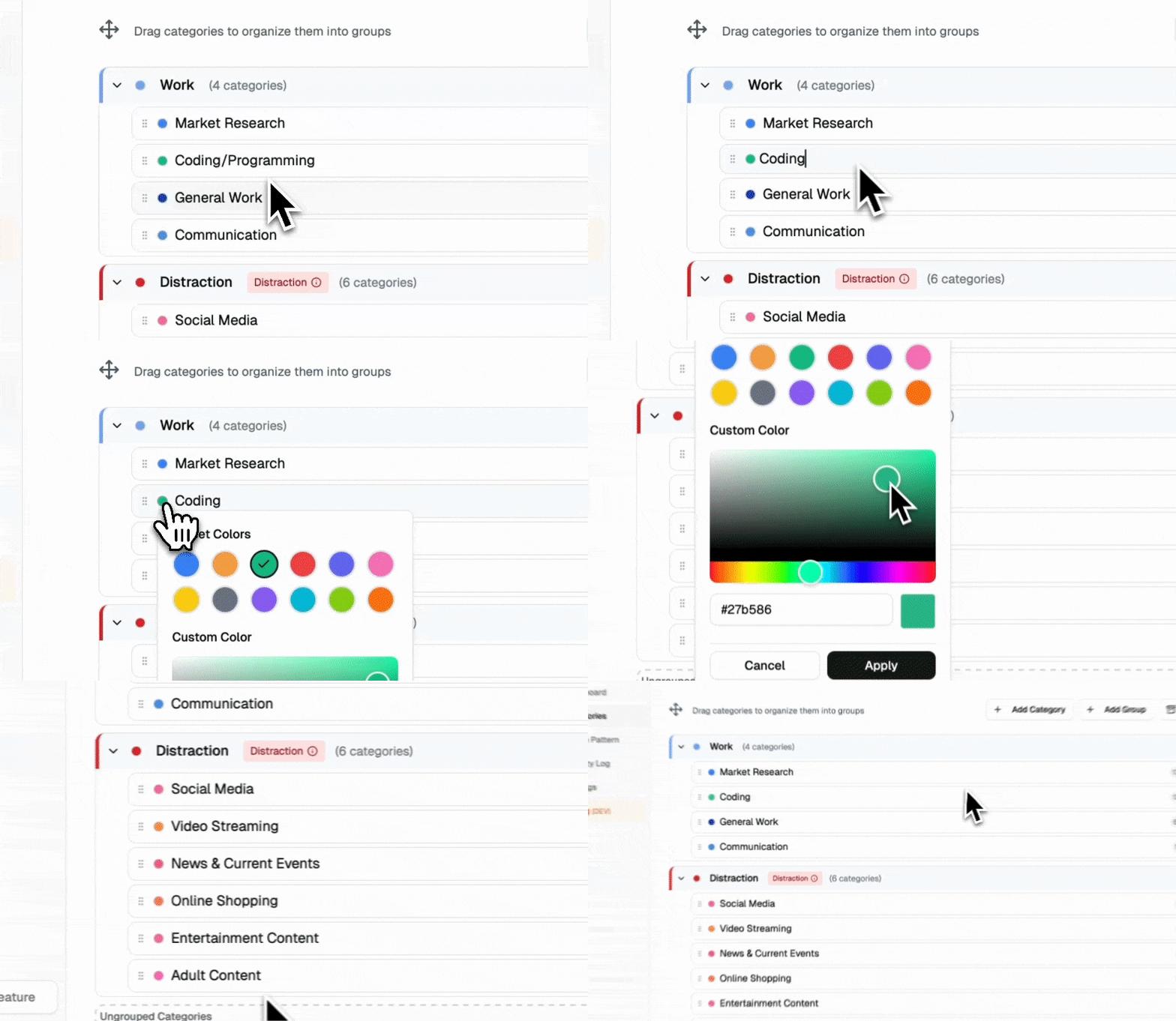
- Categories: Make it easier to drag/drop categories; inline edit category name and color; categories now show occurence count.
Categories Page Before
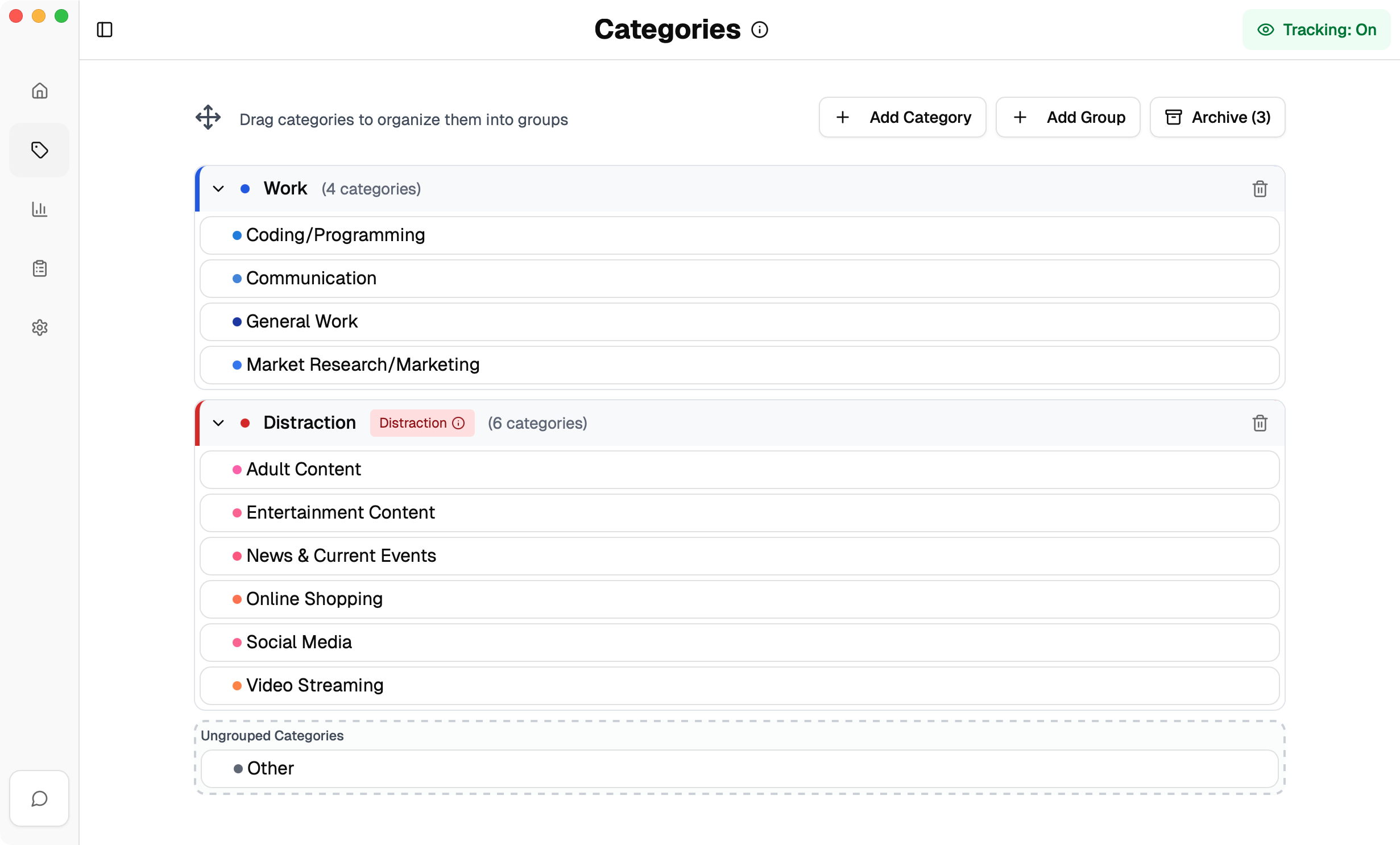
Categories Page After
Category Name/Color Inline Editing
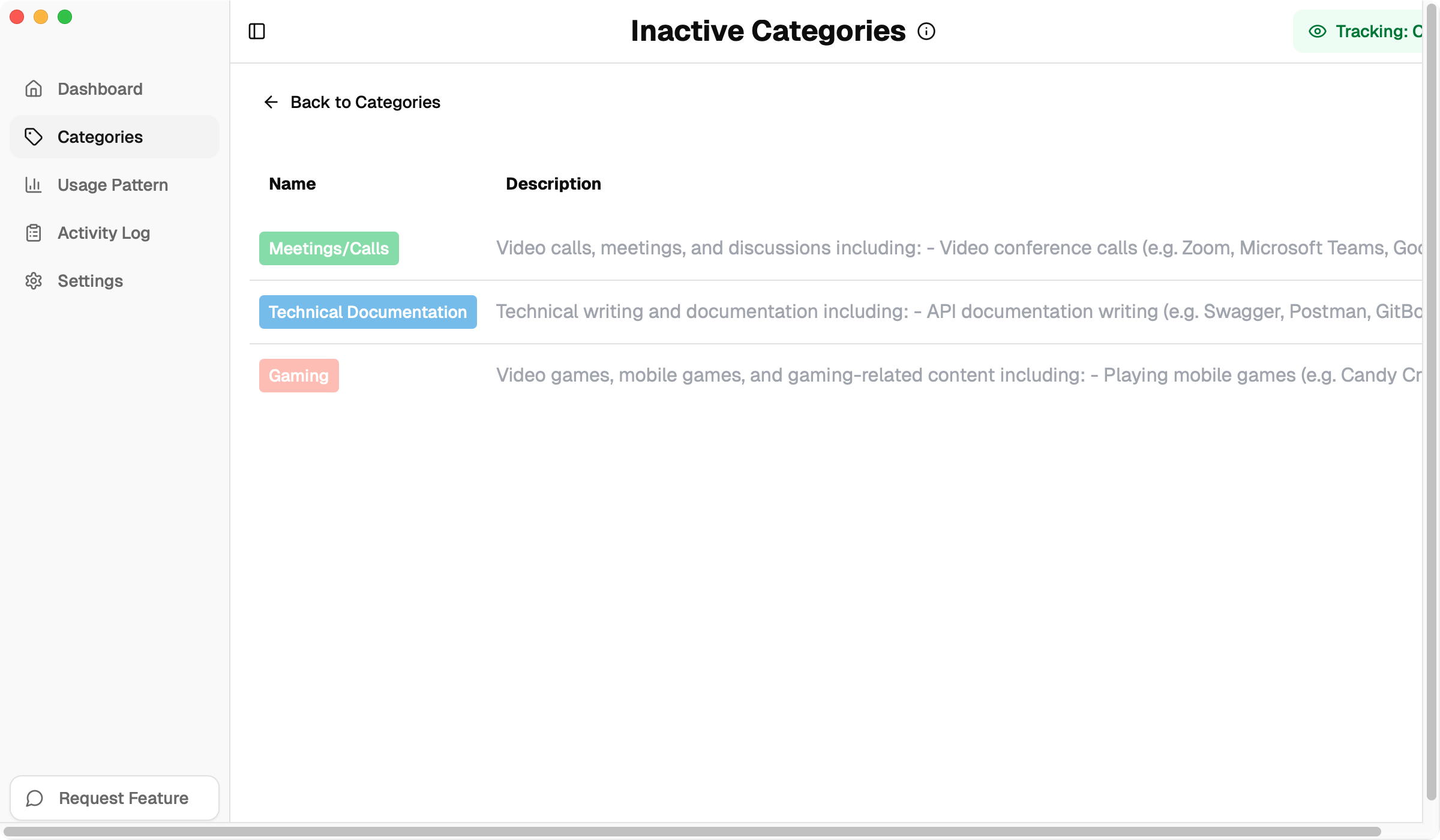
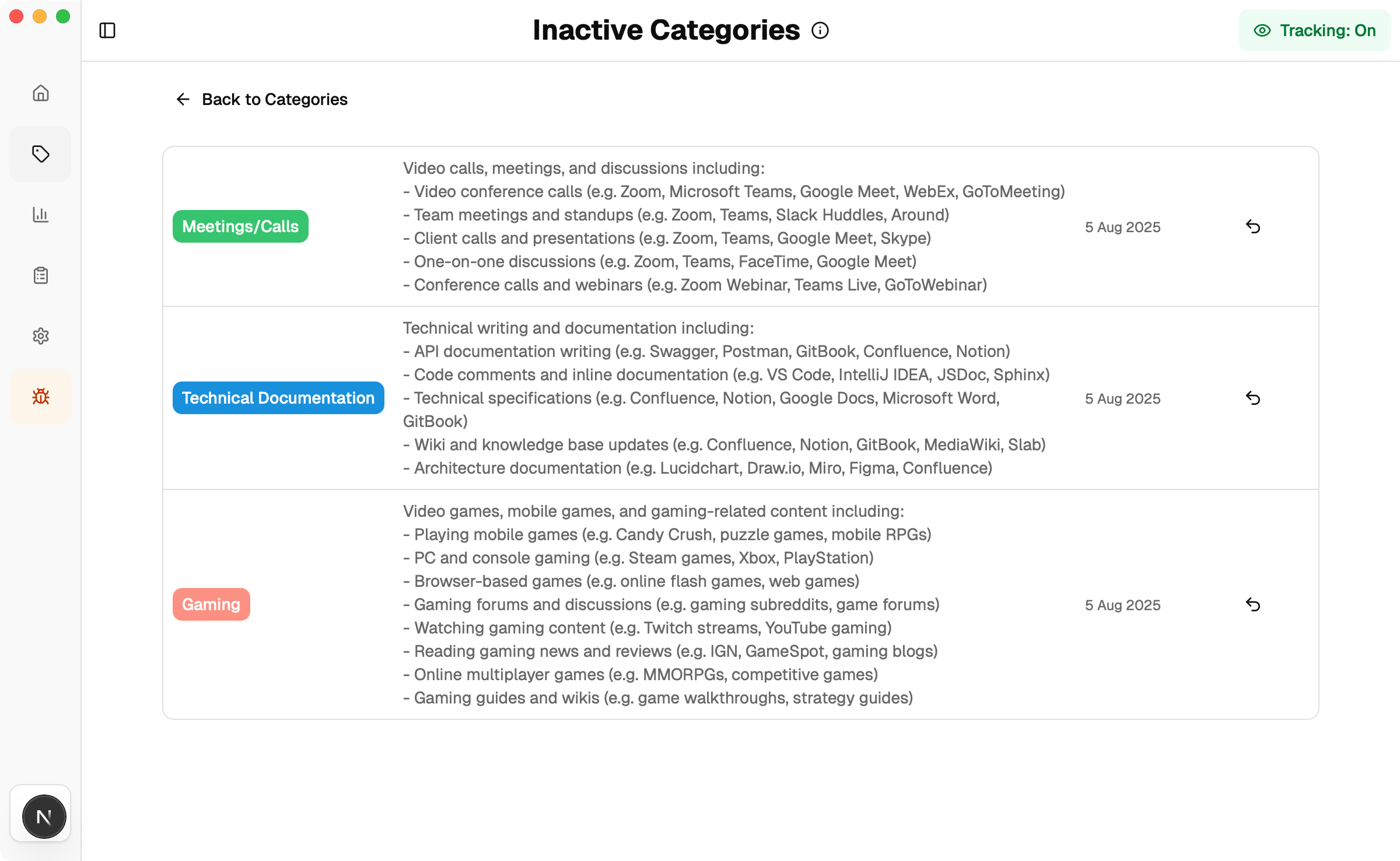
- Inactive Categories: Rework inactive categories view to be more intuitive and user-friendly.
Inactive Categories Page Before
Inactive Categories Page After
- Fix: Top disruptors not showing up properly
- Fix: Distraction alert showing up even when user already left the distracting activity
[0.5.1] - August 4, 2025 ()
Improved
- Fix: Update category in the distraction alert window does not work properly
[0.5.0] - August 2, 2025 ()
Added
- Distraction Alert: Show category and group that caused the alert
- Distraction Alert: You can now directly change category of your activity from the alert window to prevent unwanted alert
- Activity Log: You can now manually change category of your activity from the activity log
Improved
- Categories: Drag and drop now look smaller and more subtle
- Usage Patterns: Only show categories that have activities
[0.4.8] - July 31, 2025 ()
Added
- Distraction Alert: Alert now shows what triggered the alert
[0.4.7] - July 30, 2025 ()
Added
- Stability: Ensure only one instance of the app is running at a time
- Settings: New settings page to manage your app preferences
- Distraction Alert: Allow user to disable alert
- Dock Behaviour: When all windows are hidden or closed, the dock icon will be hidden as well since selecting it won't do anything. The app window can then be openned by clicking the tray icon (only the tray icon is visible all the time).
[0.4.4] - July 19, 2025 ()
Added
- User Settings: You can now toggle between "Show Grouped Categories" and "Show All Categories"
- Onboarding: You can now change groups vs categories view during onboarding.
- Onboarding: You can now edit categories during the onboarding process.
- Categories: Added the guide to create categories similar to the Onboarding Process.
- Categories: You can now edit category name.
Improved
- Fix: Gradient effect on top disruptors panel
[0.4.0] - July 12, 2025 ()
This is a major update that adds a lot of new features to the app.
Added
- Category Grouping: You can now group categories together to create a custom category group
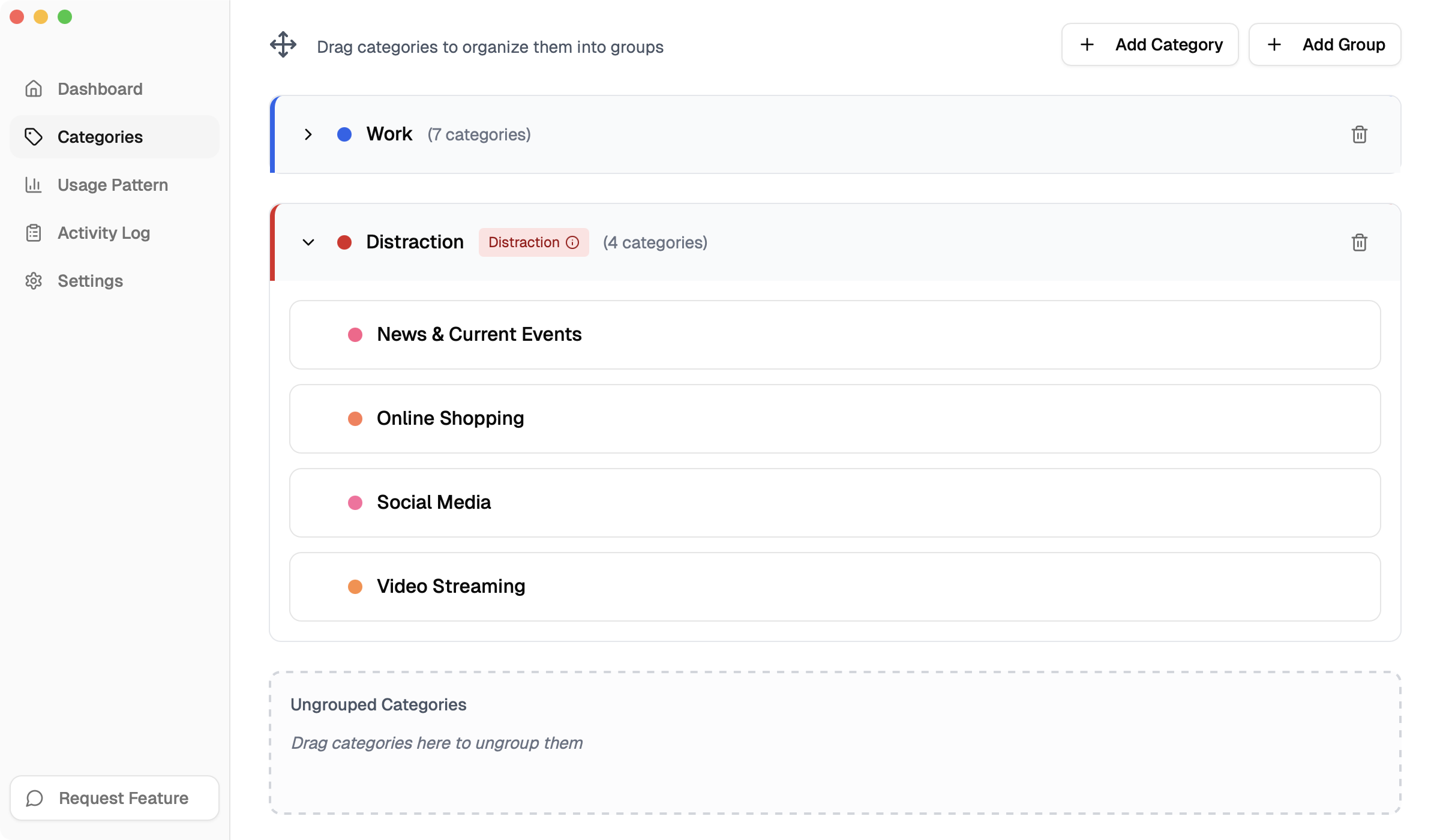
Category Grouping
- Onboarding with category grouping: Onboarding now organize categories into "Work" and "Distraction" groups to help you get started faster
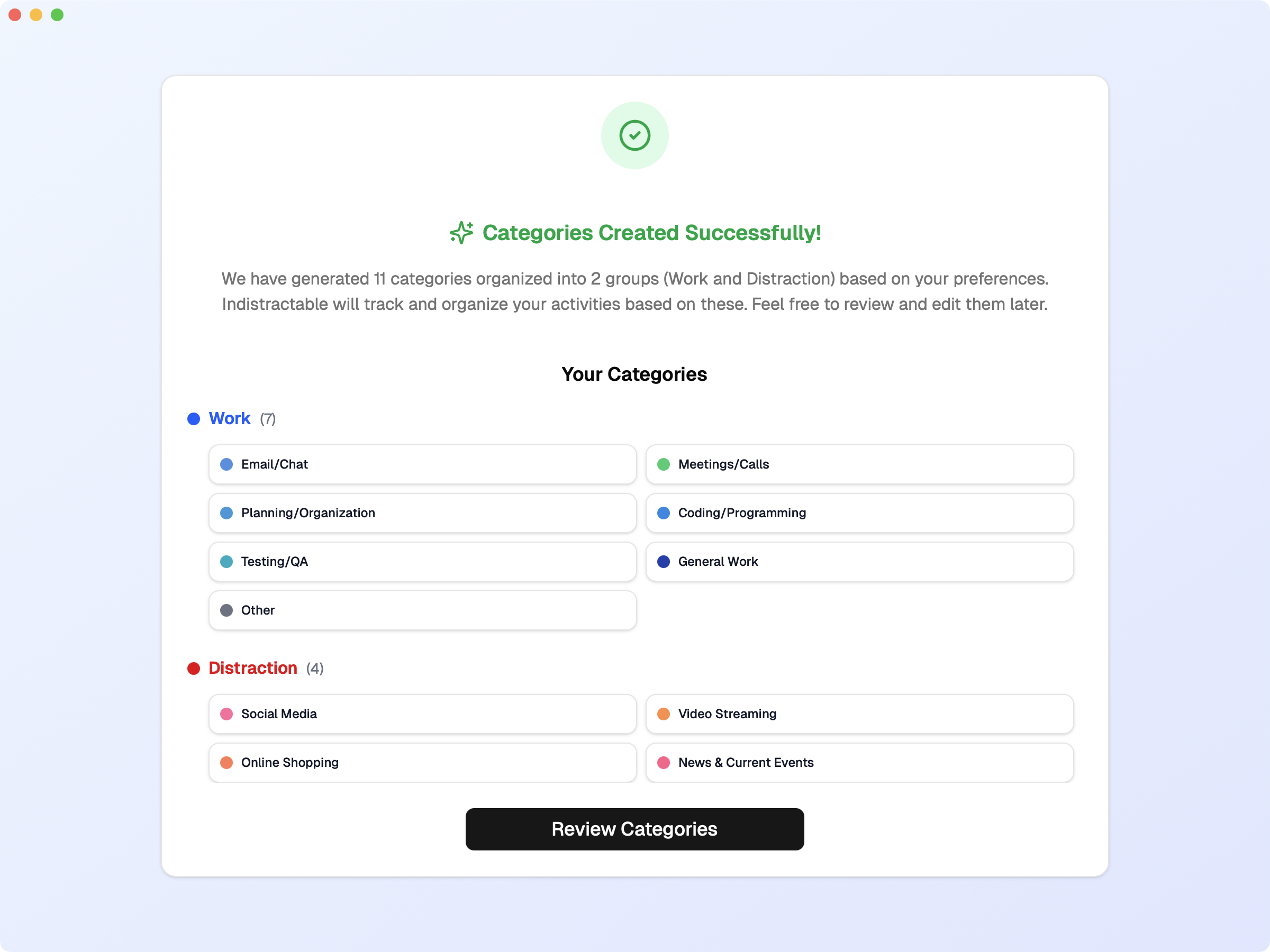
Onboarding with Category Grouping
- Pause Tracking: You can now pause tracking for a specific amount of time (5, 30, 60 minutes) or indefinitely
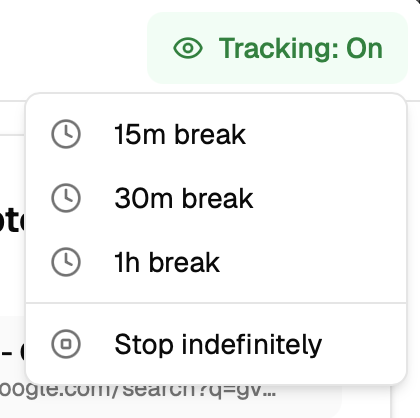
Pause Tracking Controls
- Tray Icon Preview: You can now decide how many minutes of activity the tray icon should display
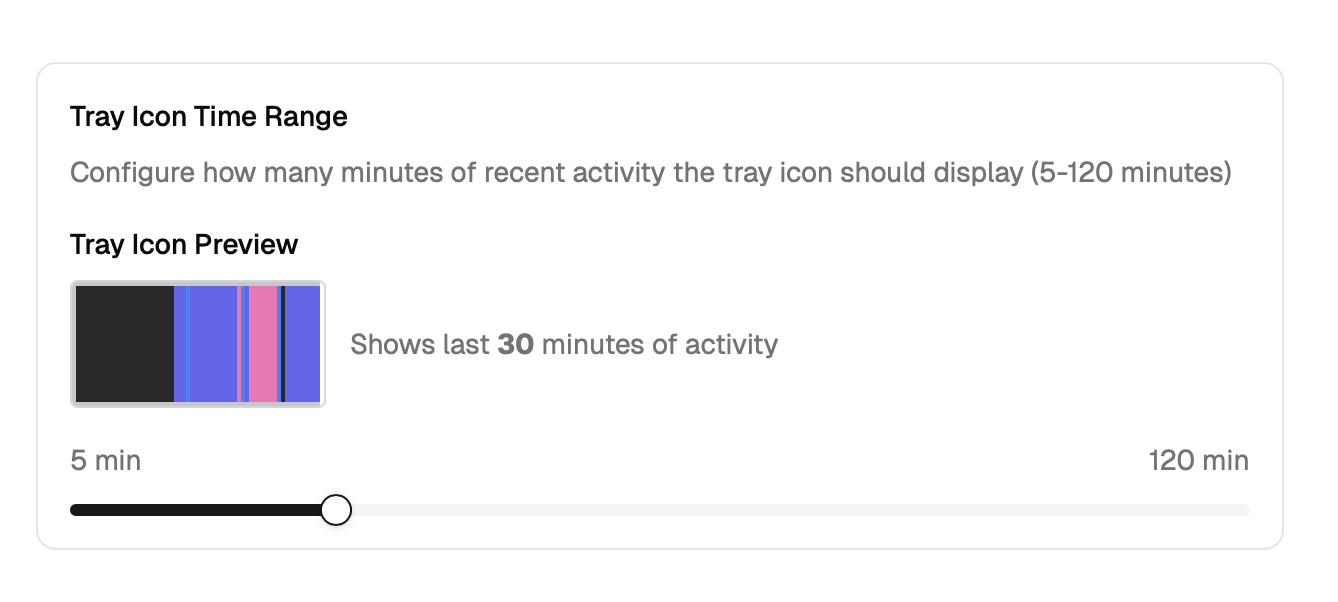
Tray Icon Preview
- Show Topy disruptors: You can now see the disruption sources by hour/day
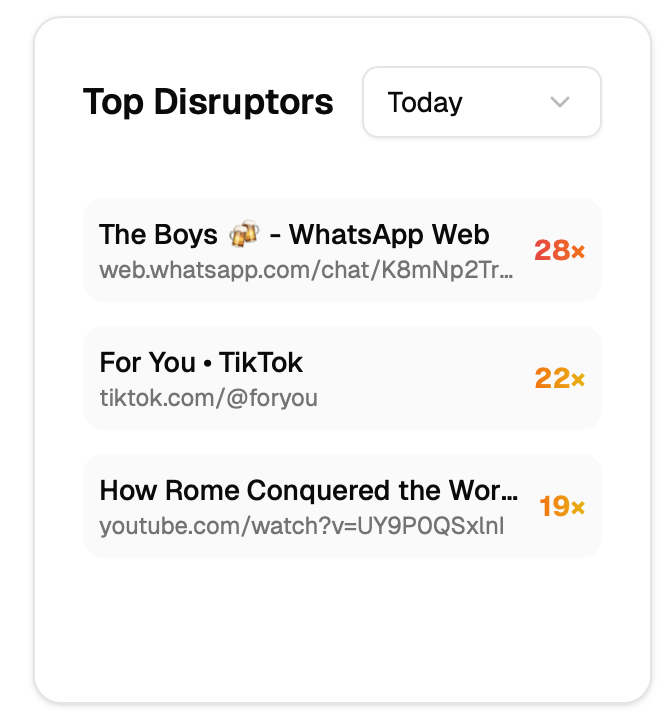
Top Disruptors
- Disruptor Break Reminder System: Intelligent detection of excessive switching between productive and distracting activities, with automatic break suggestions to prevent context-switching fatigue
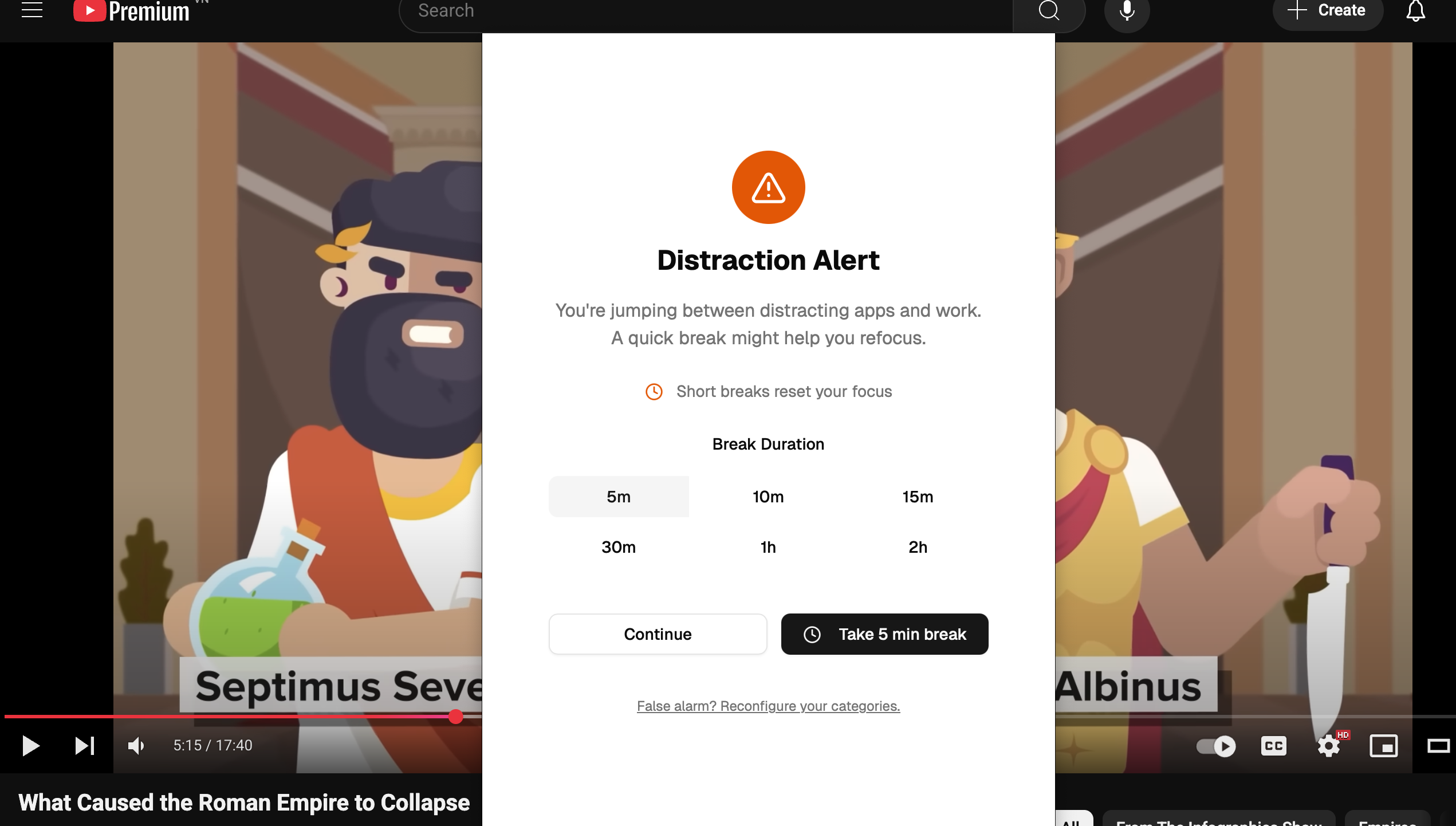
Distraction Alert
Improved
- Fix: Closing window freezes app, now closing window will hide it to prevent data loss
- Fix: Tracking off after system crashes
- Fix: Acitivity sometimes not resumed after screen unlock
- Usage Patterns: Remove date to make UI more clean
- Categories: Reworked category management to be more intuitive and user-friendly
[0.2.4] - June 19, 2025 ()
Added
- License: Subscription users can now use their own API key for AI categorization
- Onboarding: New onboarding flow for new users to help user define their first categories
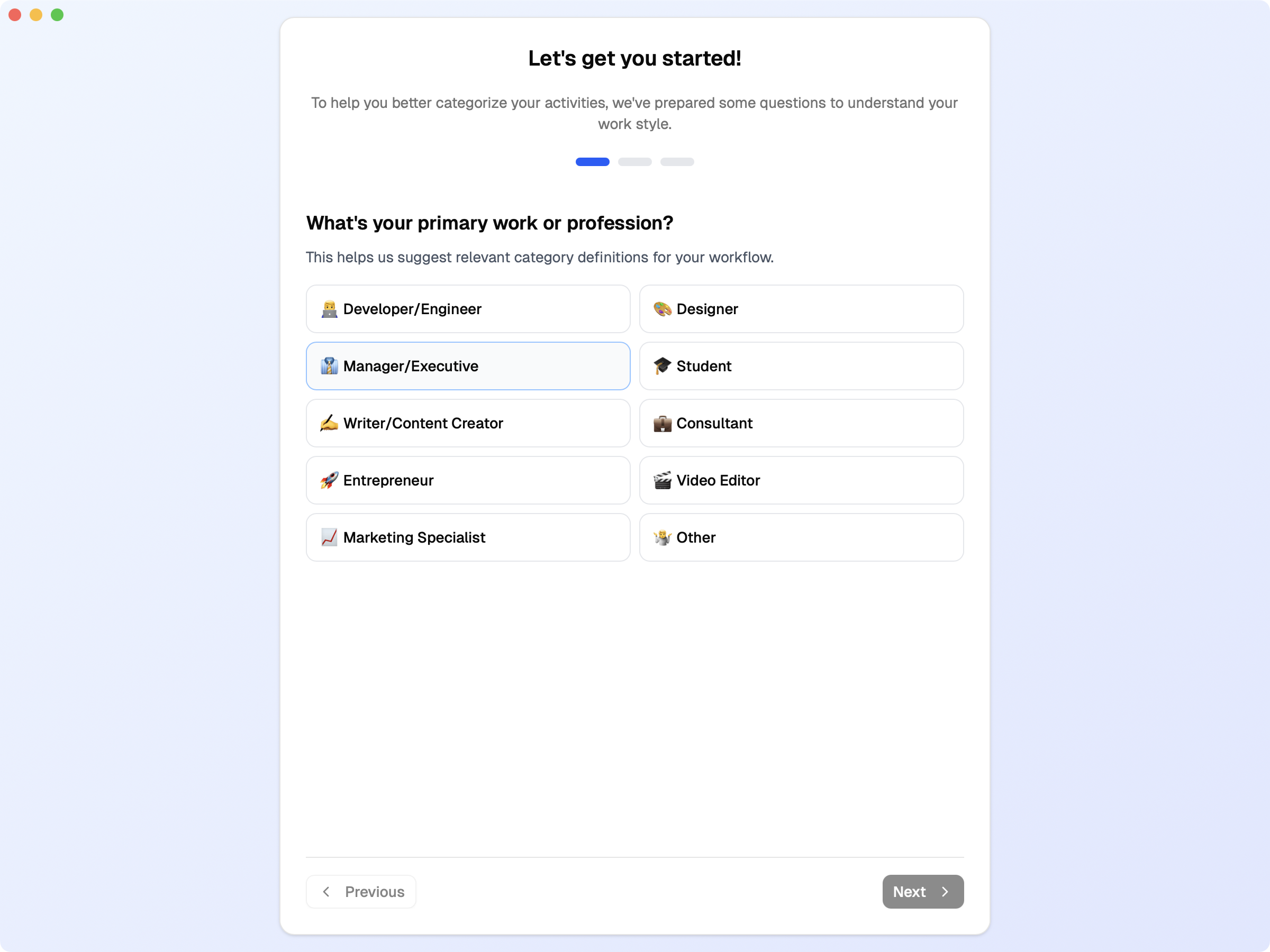
Onboarding
- Timeline Minimap: New timeline minimap for better visualization of activity flow
Improved
- Dashboard: Uncategorized activities are now displayed in a neutral color in minimap
- Dashboard: Tooltips now show text with line breaks
- Categories: Reworked category management to be more intuitive and user-friendly
- Fix: Category database not being initialized
[0.2.0] - June 18, 2025 ()
Added
- Heatmap View: New visual representation of productivity patterns showing usage throughout the day
- Cached Activity Categorization: Previously categorized activities are now instantly recognized for faster processing
- Automatic Data Refresh: Dashboard now updates automatically when switching back to the app
- Activity Duration Limits: Built-in safeguards to prevent faulty data from affecting insights
- Custom Gemini API Key Support: Pay-once users can now use their own Google Gemini API key for AI categorization
Improved
- Category Management: More intuitive creation and editing of categories with better layouts and descriptions
- Activity Timeline: Better gap handling and cleaner time display with more consistent formatting
- Activity Previews: Quick glimpses of recent activities available from the main dashboard
- User Interface: Refined category colors, improved layouts with better spacing, and enhanced tooltips
- Performance: More efficient background monitoring with minimal system impact
- Error Handling: More robust performance to ensure data safety
- License Management: Better subscription handling for pay-once users
- Database Operations: More robust database operations for smoother performance
Changed
- Time formatting is now more consistent across all views
- Color scheme updated for better visual consistency throughout the app
- Timeline visualization improved for better activity flow representation
[0.1.0] - April 17, 2025 ()
First public release
Added
- Activity Tracking: Automatically tracks what apps and websites you use throughout the day
- Smart Categories: Organize your activities into custom categories like Work, Entertainment, Social Media, etc.
- AI Assistant: Get intelligent insights about your productivity patterns through chat
- Daily Timeline: See exactly how you spent your time with a visual timeline of your activities
- Dark Mode: Choose between light and dark themes for comfortable viewing
- Menu Bar Integration: Quick access to your activity data right from your Mac's menu bar
- Activity Management: Delete or edit individual activity entries when needed
What You Can Do
- Track Your Time: See which apps and websites take up most of your day
- Understand Your Habits: Discover patterns in how you spend your time
- Organize Activities: Sort your tracked time into meaningful categories
- Review Your Day: Look back at your daily activity timeline to see where time went
- Customize Your Experience: Set up categories that match your work and life style